

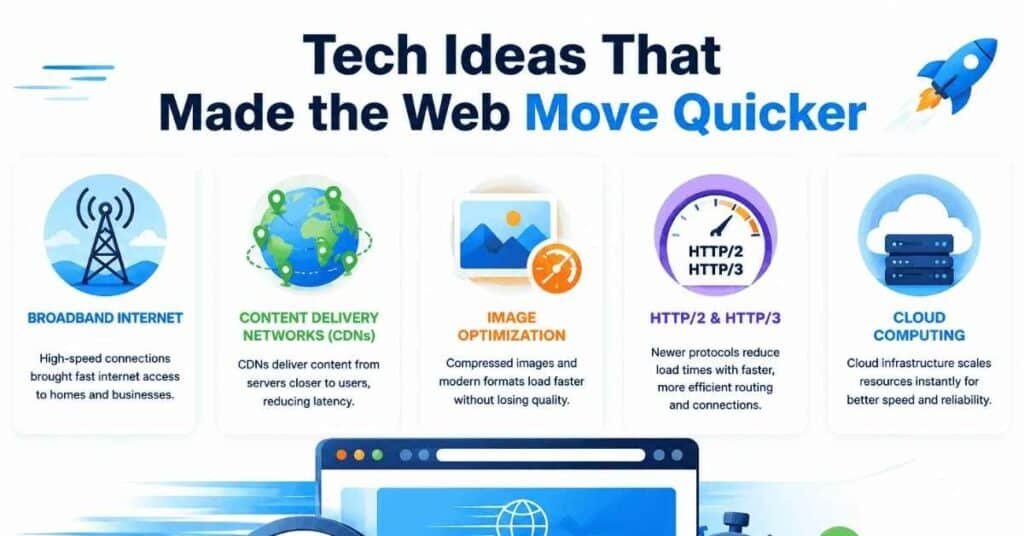
8 tech ideas that made the web move quicker include browser caching, content delivery networks, data compression, persistent connections, HTTP/2, HTTP/3 with QUIC, modern image delivery and smarter resource loading. Together, these technologies solved two fundamental web-performance problems: sending fewer bytes and reducing how long browsers wait for those bytes to arrive.
Today’s web feels almost effortless when it works well. You tap a link, and text, images, fonts, videos and interactive features can appear within seconds—or even fractions of a second.
However, that speed did not arrive because computers simply became more powerful.
Engineers spent decades redesigning how browsers, servers and networks communicate. Some improvements reduced file sizes. Others shortened the physical journey between users and content. Meanwhile, newer protocols allowed browsers to request information much more efficiently.
Here are eight ideas that quietly transformed the speed of the modern web.
Why Did the Early Web Feel So Slow?
To understand web speed, it helps to think about what actually happens when you visit a page.
Your browser may need to:
- Find the server.
- Establish a network connection.
- Secure that connection.
- Request the HTML.
- Download the HTML.
- Discover CSS, images and scripts.
- Request those files.
- Process the files.
- Build the page.
- Display it on your screen.
Every extra request, handshake, byte and processing step can add delay.
Early websites were much simpler than today’s pages. Yet slow connections and inefficient networking meant even lightweight pages could take noticeable time to appear.
As websites became richer, developers needed smarter solutions.
That led to several breakthroughs.
1. Browser Caching Stopped the Web Downloading Everything Twice
One of the smartest speed improvements was also one of the simplest:
Don’t download something again if you already have a usable copy.
That is the basic idea behind browser caching.
When you visit a website, your browser may store copies of files such as:
- Images
- Stylesheets
- JavaScript files
- Fonts
- Logos
- Other static resources
If you return later, the browser can sometimes reuse those files instead of downloading them again.
Why Caching Makes Websites Faster
Imagine a website logo is 100 KB.
Without caching, the browser might download that same logo every time you visit another page.
With caching, the browser can say:
“I already have this file. I don’t need another copy.”
That reduces:
- Network requests
- Downloaded data
- Server workload
- Waiting time
The result is a faster experience, particularly for repeat visitors.
Caching Happens at More Than One Level
Caching is not limited to the user’s browser.
Copies of web content may exist in:
- Browsers
- Proxy servers
- Content delivery networks
- Application caches
- Server-side caches
This layered approach means a request may be answered without reaching the original server at all.
That became one of the foundational ideas behind a faster web.
2. Content Delivery Networks Brought Websites Closer to Users
The internet moves information extremely quickly, but physical distance still matters.
Suppose a website’s server sits in London while its visitor lives in Sydney.
Every request may need to travel thousands of miles through networks before reaching the server. The response then has to travel back.
Even at near-light speeds through fibre-optic networks, that journey creates latency.
Content delivery networks, commonly called CDNs, attacked this problem by moving copies of content closer to users.
How a CDN Works
Instead of relying on one origin server, a CDN operates servers across many geographical locations.
A visitor requests a file.
The network then tries to serve that content from a nearby location rather than repeatedly pulling it from the distant origin.
For example:
Without CDN:
User in Singapore → Server in London → User in Singapore
With CDN:
User in Singapore → Nearby CDN location → User in Singapore
The shorter path usually means lower latency.
What Can CDNs Deliver?
CDNs commonly handle assets such as:
- Images
- Videos
- CSS files
- JavaScript
- Fonts
- Software downloads
- HTML
- API responses
Modern networks can also cache or process some dynamic content at the edge.
Why CDNs Changed the Web
CDNs helped websites become genuinely global.
A company no longer needed a full data centre in every major country to provide reasonable performance around the world.
Instead, distributed infrastructure could place content near users.
This idea eventually evolved into today’s broader concept of edge computing, where computation itself can happen closer to the visitor.
3. Compression Made Web Files Smaller Before Sending Them
Another revolutionary idea was straightforward:
If data must travel across the network, make it smaller first.
Compression reduces the number of bytes a browser needs to download.
This became particularly valuable for text-based files such as:
- HTML
- CSS
- JavaScript
- JSON
- XML
- API responses
Instead of sending a large uncompressed file, a server compresses it.
The browser downloads the smaller version and decompresses it locally.
Gzip Changed Everyday Web Delivery
For years, gzip became one of the most common compression methods used by websites.
Text compresses particularly well because it often contains repeated patterns.
Consider HTML code.
The same tags, class names, words and structural patterns may appear repeatedly. Compression algorithms can represent those patterns more efficiently than sending every character independently.
Brotli Pushed Compression Further
Later, Brotli provided another compression option designed to achieve strong compression efficiency.
For suitable web resources, smaller compressed files can reduce:
- Transfer time
- Bandwidth consumption
- Mobile data use
- Server traffic
The basic principle remains powerful:
A byte you never send is a byte the visitor never has to wait for.
That principle appears repeatedly throughout web-performance engineering.
4. Persistent Connections Stopped Browsers Reconnecting Constantly
Early network communication could be surprisingly wasteful.
Imagine calling a shop and asking:
“Do you have bread?”
Then hanging up.
Next, you call again:
“Do you have milk?”
You hang up again.
Then you call another time:
“Do you have eggs?”
That would be ridiculous.
Yet early web communication sometimes behaved in a broadly similar way.
A browser could establish a connection, request a resource, receive it and then close the connection.
For another resource, it might need to connect again.
HTTP/1.1 Made Connections Persistent
Persistent connections allowed browsers to reuse an existing connection for multiple requests and responses.
Instead of repeatedly performing the connection setup process, the browser could keep the line open.
That reduced unnecessary overhead.
The flow became more like:
Connect → Request page → Request image → Request CSS → Request script → Close
rather than:
Connect → Request → Close
The Connect → Request → Close
Connect → Request → Close
Again and again.
Why Connection Reuse Matters
Establishing a connection takes time.
Secure HTTPS connections can involve additional negotiation as well.
Therefore, reusing an existing connection avoids repeating some expensive setup work.
Persistent connections became a major stepping stone toward the more sophisticated communication methods that followed.
5. HTTP/2 Let Multiple Requests Share One Connection
Persistent connections helped, but another problem remained.
Modern websites often need many resources.
A page might contain:
- HTML
- Several CSS files
- Multiple JavaScript files
- Fonts
- Icons
- Photographs
- Tracking resources
- API calls
- Advertisements
Handling all those requests efficiently became a serious challenge.
HTTP/2 introduced one of the most important web-performance improvements: multiplexing.
What Is HTTP/2 Multiplexing?
Multiplexing allows multiple streams of requests and responses to share a single connection.
Think of HTTP/1.1 as a road where traffic handling could become awkward enough that browsers often opened several separate roads.
HTTP/2 is more like a well-managed motorway where many streams of traffic can travel through the same connection.
The browser no longer needs a separate connection for every concurrent request.
HTTP/2 Also Improved Header Efficiency
HTTP requests contain headers carrying information about the request.
These headers can repeat many of the same values again and again.
HTTP/2 introduced more efficient header compression, reducing some of that repetitive overhead.
Why HTTP/2 Changed Web Development
Before HTTP/2 became widespread, developers sometimes used strange performance tricks.
For example, they might:
- Combine many CSS files
- Combine JavaScript files
- Merge small images into sprites
- Split resources across different domains
Those techniques attempted to work around HTTP/1.1 connection limitations.
HTTP/2 changed the economics.
Because multiple resources could travel efficiently over the same connection, developers gained more flexibility in how they structured assets.
It didn’t magically make every page fast.
However, it created a much better transport system for increasingly complex websites.
6. HTTP/3 and QUIC Reduced Networking Delays Further
HTTP/2 improved web communication dramatically.
However, it still commonly relied on TCP, a transport protocol that has served the internet extremely well for decades.
TCP guarantees reliable, ordered data delivery.
That reliability is valuable.
Yet certain network conditions can create delays.
HTTP/3 changed the transport layer by running HTTP over QUIC.
What Is QUIC?
QUIC is a modern transport protocol originally developed with web performance in mind.
Instead of running over TCP, QUIC runs over UDP while implementing reliability, security and stream management at a higher level.
For ordinary users, the technical details matter less than the outcome.
HTTP/3 aims to make web communication more resilient and efficient, especially when connections experience latency or packet loss.
Independent Streams Matter
With HTTP/2 over TCP, packet loss can temporarily affect delivery at the underlying connection level.
QUIC handles streams independently.
As a result, a problem affecting one stream does not necessarily block unrelated streams in the same way.
This can become particularly useful on:
- Mobile networks
- Busy Wi-Fi
- High-latency connections
- Networks experiencing packet loss
Faster Connection Setup
QUIC also combines transport and security setup more tightly.
That can reduce the amount of back-and-forth communication required when establishing connections.
Again, the web becomes faster by eliminating waiting.
HTTP/3 Matters More on Imperfect Networks
On a perfect local connection, differences between protocols may feel tiny.
Real networks are rarely perfect.
Users switch between mobile towers. Wi-Fi drops packets. People browse across continents. Network conditions constantly change.
HTTP/3 was designed with that messy reality in mind.
7. Modern Image Technology Cut Some of the Web’s Heaviest Files
Images are often among the largest resources on a webpage.
A page may contain only a few kilobytes of text but several megabytes of photographs.
Therefore, image optimisation became one of the biggest opportunities for speeding up websites.
The solution came through a combination of better compression, newer formats and responsive delivery.
Modern Image Formats
Traditional web images often relied on formats such as:
- JPEG
- PNG
- GIF
Those formats remain useful.
However, newer formats such as WebP and AVIF can often deliver comparable visual quality with smaller files, depending on the image and encoding settings.
Smaller images mean less data crossing the network.
Less data generally means faster loading.
Responsive Images Solved Another Waste Problem
Suppose a website stores a hero image 2,400 pixels wide.
A large desktop monitor may need that resolution.
A small mobile phone probably doesn’t.
Sending the full desktop image to every device wastes bandwidth.
Responsive image techniques allow websites to provide multiple versions of the same picture.
The browser can then choose a suitable version based on factors such as:
- Screen size
- Display density
- Layout
- Device characteristics
So instead of sending a huge image and shrinking it visually, the server can deliver something much closer to the size actually needed.
Lazy Loading Avoided Downloading Invisible Images
Another major improvement was lazy loading.
Imagine an article contains 30 photographs.
Only the first three appear on screen when the page opens.
Why immediately download all 30?
Lazy loading lets the browser delay non-critical images until the visitor approaches them.
If the user never scrolls to the bottom, some resources may never need to download at all.
Once again:
The fastest request is often the request you avoid making.
8. Smarter Resource Loading Taught Browsers What Matters First
A web page rarely needs every resource at exactly the same moment.
The logo might matter immediately.
A font may matter early.
An image 10 screens below the current viewport does not.
Modern performance techniques increasingly focus on priority.
Instead of merely asking, “How fast can we download everything?” developers ask:
“What does the visitor need first?”
That change in thinking led to several powerful ideas.
Preload Important Resources
A browser discovers page resources as it parses HTML and other files.
Sometimes an important resource appears too late in that discovery process.
A preload hint tells the browser that a particular resource will be needed soon.
The browser can begin fetching it earlier.
This can help with resources such as:
- Important fonts
- Critical images
- Key scripts
- Essential styles
However, preload must be used carefully.
If developers mark everything as important, nothing is truly prioritised.
LEARN MORE: Coursera Review
Preconnect to Important Origins
Some pages load assets from other domains.
Before downloading anything from a new origin, the browser may need to perform tasks such as DNS lookup and connection establishment.
A preconnect hint tells the browser:
“We will probably need this server soon. Start preparing the connection.”
That can move network setup work earlier.
Lazy Load What Doesn’t Matter Yet
At the other end of the priority spectrum, lazy loading tells the browser to postpone resources that aren’t currently needed.
Together, preload and lazy loading express a simple performance strategy:
Important things earlier. Unimportant things later.
That idea plays a major role in the modern web.
The 8 Tech Ideas at a Glance
Here is how each innovation attacked the speed problem.
| Tech Idea | Main Performance Benefit |
|---|---|
| 1. Browser caching | Avoids downloading unchanged resources repeatedly |
| 2. CDNs | Moves content geographically closer to users |
| 3. Compression | Reduces the number of bytes transferred |
| 4. Persistent connections | Avoids repeated connection setup |
| 5. HTTP/2 | Handles multiple streams efficiently on one connection |
| 6. HTTP/3 and QUIC | Improves modern transport and handles independent streams |
| 7. Modern image delivery | Reduces image weight and unnecessary downloads |
| 8. Smart resource loading | Prioritises critical resources and delays non-critical ones |
The important point is that no single invention made the web fast.
Speed came from stacking improvements.
How These Technologies Work Together
Imagine someone opens a news website.
Several technologies may immediately work behind the scenes.
First, DNS directs the visitor towards the service.
Next, a CDN may provide content from infrastructure located near the user.
HTTP/3 may establish communication using QUIC.
The server might send compressed HTML.
Meanwhile, the browser checks its cache and discovers it already has several unchanged resources.
HTTP/2 or HTTP/3 allows multiple remaining resources to travel efficiently.
Modern image formats reduce the weight of photographs.
Responsive image markup prevents a phone from downloading unnecessary desktop-sized files.
Finally, lazy loading delays images far below the screen.
The user sees one page.
Behind it sits decades of accumulated engineering.
The Two Big Rules Behind a Faster Web
Most web-performance innovations ultimately follow two principles.
Rule 1: Transfer Less Data
Techniques in this category include:
- Compression
- Caching
- Image optimisation
- Responsive images
- Minification
- Lazy loading
- Removing unused code
The browser simply receives fewer bytes.
Rule 2: Spend Less Time Waiting
These technologies include:
- CDNs
- Persistent connections
- HTTP/2
- HTTP/3
- Preconnect
- Preload
- Edge infrastructure
They reduce the time needed to find, connect to, request or receive important resources.
The fastest websites usually work on both problems at once.
Why Faster Internet Connections Did Not Solve Everything
It is tempting to think broadband and 5G made web optimisation unnecessary.
They didn’t.
A fast connection cannot completely eliminate:
- Network latency
- Server processing time
- Bloated JavaScript
- Huge images
- Third-party scripts
- Poor caching
- Slow databases
- Excessive requests
- Main-thread browser work
In fact, websites often became heavier as networks became faster.
Developers added richer interfaces, high-resolution photos, videos, tracking systems, advertising technology and complex JavaScript applications.
Therefore, performance engineering remained important.
Not Everyone Has a Perfect Connection
Web developers also need to remember that users browse under very different conditions.
Someone may use:
- Fibre broadband
- Public Wi-Fi
- A weak mobile signal
- An older smartphone
- Satellite internet
- A congested network
- A low-powered laptop
A website that feels instant on a developer’s high-end computer may feel completely different elsewhere.
Good web performance serves the real world rather than the ideal laboratory.
Which of These Ideas Made the Biggest Difference?
There isn’t one universal winner.
Different technologies solve different bottlenecks.
However, three ideas stand out for their broad impact.
Caching
Caching eliminates work entirely.
If a browser can safely reuse something, no transfer needs to happen.
That is extremely powerful.
CDNs
CDNs tackled the physical reality of global networking.
Bringing content closer to users reduced latency at massive scale.
Better HTTP Protocols
HTTP/2 and HTTP/3 changed how the browser and server communicate.
Instead of merely making individual files smaller, these protocols improved the underlying system used to request and deliver them.
Together, these innovations created the foundation for today’s high-performance web.
Do Website Owners Still Need to Optimise Speed in 2026?
Yes.
Modern browsers and hosting platforms automate many improvements, but they cannot fix every bad decision.
A developer can still build a painfully slow page on top of excellent infrastructure.
Common causes include:
- Oversized images
- Too much JavaScript
- Unnecessary third-party tools
- Poor database queries
- Weak caching policies
- Too many fonts
- Heavy advertising code
- Slow servers
- Large tracking scripts
- Loading everything immediately
Technology provides the tools.
Developers still need to use them wisely.
Practical Lessons Modern Websites Can Take From These 8 Ideas
You don’t need to invent a new internet protocol to benefit from the ideas that made the web faster.
A modern site owner can apply the same principles.
Cache Static Resources
Configure suitable caching for assets that rarely change.
Use a CDN
If your audience spans several regions, serving content near users can reduce latency.
Enable Compression
Use modern HTTP compression for suitable text-based resources.
Serve Modern Images
Consider formats such as WebP or AVIF where appropriate.
Resize Images Properly
Don’t send a massive desktop image to a small mobile screen.
Lazy Load Below-the-Fold Media
Resources users cannot yet see often do not need immediate priority.
Avoid Excessive JavaScript
Every script can create download, parsing and execution work.
Use Modern HTTP
Make sure your hosting infrastructure supports current web protocols where practical.
Test Real Performance
Don’t judge a website only by how fast it feels on your own computer.
Measure it under realistic devices and network conditions.
Speed Is About Perception Too
An interesting part of web performance is that technical speed and perceived speed aren’t always identical.
Imagine two pages both take three seconds to become fully complete.
Page A shows nothing for almost three seconds and then suddenly appears.
Page B shows useful content after one second while less important content continues loading.
Most people will describe Page B as faster.
That is why modern performance engineering focuses heavily on delivering meaningful content early.
Users don’t necessarily care when every background request finishes.
They care when they can:
- See the content
- Read the article
- Click the button
- Use the interface
That shift from “everything finished” to “the user can do something useful” changed how developers think about speed.
What Could Make the Web Even Faster Next?
Web performance continues to evolve.
Several directions remain particularly important.
More Edge Computing
Instead of sending every request back to a central server, applications can run logic closer to users.
That may reduce latency for suitable workloads.
Better Compression
Compression algorithms and shared dictionaries can continue reducing transfer sizes.
Improved Browser Scheduling
Browsers keep getting smarter about which resources deserve bandwidth and processing time.
Smarter Image and Video Codecs
Media dominates much of internet traffic.
Better compression can produce major savings at scale.
Faster Application Architecture
The network isn’t always the biggest bottleneck.
Developers increasingly optimise:
- Server rendering
- JavaScript execution
- Database access
- API design
- Hydration
- Code splitting
- Client-side processing
The next leap in perceived speed may come from improving the entire application pipeline rather than one protocol.
FAQs About 8 Tech Ideas That Made the Web Move Quicker
What are the 8 tech ideas that made the web move quicker?
The 8 tech ideas that made the web move quicker are browser caching, content delivery networks, compression, persistent connections, HTTP/2, HTTP/3 with QUIC, modern image delivery and intelligent resource-loading techniques such as preload and lazy loading.
What technology made websites load faster?
No single technology made websites fast. Caching reduced repeated downloads, CDNs reduced physical distance, compression reduced file sizes, and newer HTTP protocols improved how resources travel between browsers and servers.
What does caching do for website speed?
Caching stores reusable copies of resources. Therefore, browsers or intermediary servers can sometimes provide content without downloading it again from the original source.
Why do CDNs make websites faster?
CDNs distribute content across multiple geographical locations. A visitor can often receive files from infrastructure closer to them, which reduces network latency.
What is the difference between HTTP/1.1 and HTTP/2?
HTTP/1.1 supports persistent connections, but browsers historically needed multiple connections to handle significant concurrency efficiently. HTTP/2 introduced multiplexed streams that let multiple requests and responses share a single connection more effectively.
Is HTTP/3 faster than HTTP/2?
It can improve performance in certain conditions, particularly networks affected by latency or packet loss. HTTP/3 uses QUIC rather than the traditional TCP transport used by HTTP/2.
What is QUIC?
QUIC is a modern transport protocol that underpins HTTP/3. It supports multiple independent streams and integrates secure communication into its design.
Does image optimisation really improve website speed?
Yes. Images often represent a large portion of downloaded page data. Smaller image formats, responsive images and lazy loading can significantly reduce unnecessary transfers.
What is lazy loading?
Lazy loading delays non-critical resources until the browser expects they will be needed. For example, images far below the visible part of a page can wait until the visitor scrolls towards them.
What is preload in web performance?
Preload tells the browser that a resource will be needed soon. This lets the browser begin fetching an important asset earlier than it might discover it naturally.
Why is website speed still important with fast internet?
Fast internet cannot eliminate inefficient code, oversized resources, network latency or slow servers. Furthermore, millions of users still browse on constrained devices and imperfect networks.
What are the two main ways to make websites faster?
Most web-performance improvements fall into two categories: transfer fewer bytes and reduce waiting time.
Conclusion
8 tech ideas that made the web move quicker changed the internet not through one dramatic invention, but through years of small and large improvements working together.
Caching stopped unnecessary repeat downloads. CDNs moved content closer to visitors. Compression made files smaller. Persistent connections reduced repeated setup work. HTTP/2 introduced more efficient multiplexed communication, while HTTP/3 and QUIC improved the transport layer for modern network conditions.
Meanwhile, responsive images, newer image formats and intelligent loading strategies helped browsers avoid wasting bandwidth on resources users did not immediately need.
The most useful lesson is surprisingly simple.
A faster web comes from doing less unnecessary work.
Send fewer bytes. Avoid duplicate downloads. Shorten network journeys. Reuse connections. Prioritise important resources. Delay what users don’t yet need.
Those principles built much of the fast web we use today—and they remain some of the best rules for making tomorrow’s websites even quicker.
